IBM Granite ASR: Setup and Optimization
I dove into IBM's Granite Series ASR models to see if they're as fast as they claim. Spoiler: they're impressive, but let's break it down. With AI-driven ASR models becoming crucial for real-time applications, IBM's Granite Series promises speed and accuracy. But how do they really perform in a practical setup? I connect my environment, set up the technical requirements, and put the Granite Speech 4.1 model to the test. Result: a 5.33 word error rate and 95% accuracy. But watch out, there are trade-offs. Set it up right or you'll get disappointed. It's a balancing act between performance and resources.

I dove into IBM's Granite Series ASR models to see if these guys are as fast as advertised. Spoiler alert: they pack a punch. But let's dissect what really goes on under the hood. In a landscape where AI-driven ASR models are becoming indispensable for real-time apps, IBM's Granite Series claims to offer both speed and accuracy. So, how do they really stack up when put to the test? I set up my environment, checked all the technical boxes, and ran the Granite Speech 4.1 model. With a 5.33 word error rate and 95% accuracy, these stats aren't just numbers—they're game changers. But here's the catch: you've got trade-offs to juggle. Mess up the setup and you're in for a letdown. Nail it, and you've got a serious performer on your hands. It's about striking the right balance between performance and resources.
Setting Up IBM's Granite ASR Models
First thing I do as a practitioner is to connect my system to the IBM API and start configuring the Granite ASR models. Honestly, this is where things start to get challenging. Each model has 2 billion parameters, so make sure your system is ready to handle them. I had to double-check my servers were up-to-date and powerful enough to manage these behemoths.
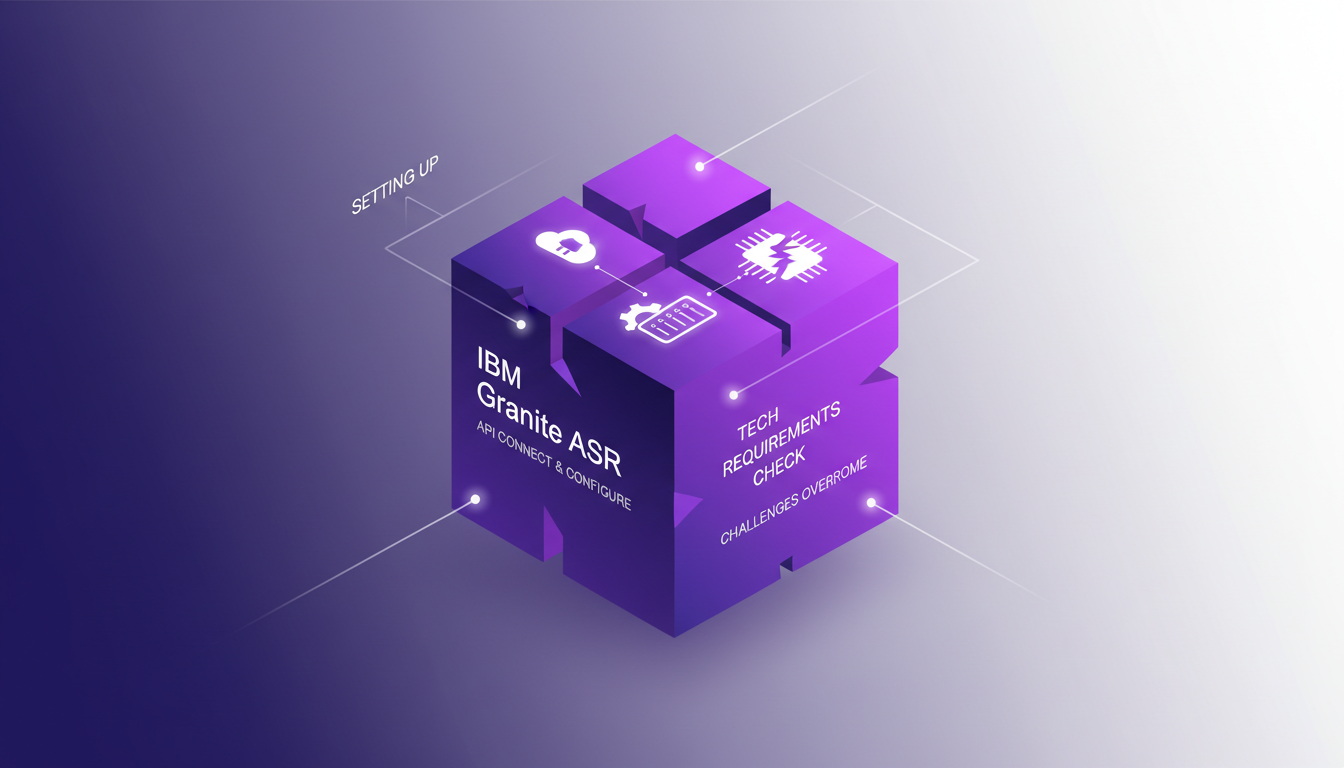
Then comes the initial setup. Honestly, I wasted hours fine-tuning the settings to optimize performance. Watch out, don't underestimate the resource load — these models are hefty. I had to revisit my CPU and memory allocations multiple times to strike the right balance.
- Connect to IBM's API and configure initial settings.
- Ensure your technical infrastructure is up to the task.
- Keep a close eye on resource allocation.
Granite Speech 4.1: Performance Insights
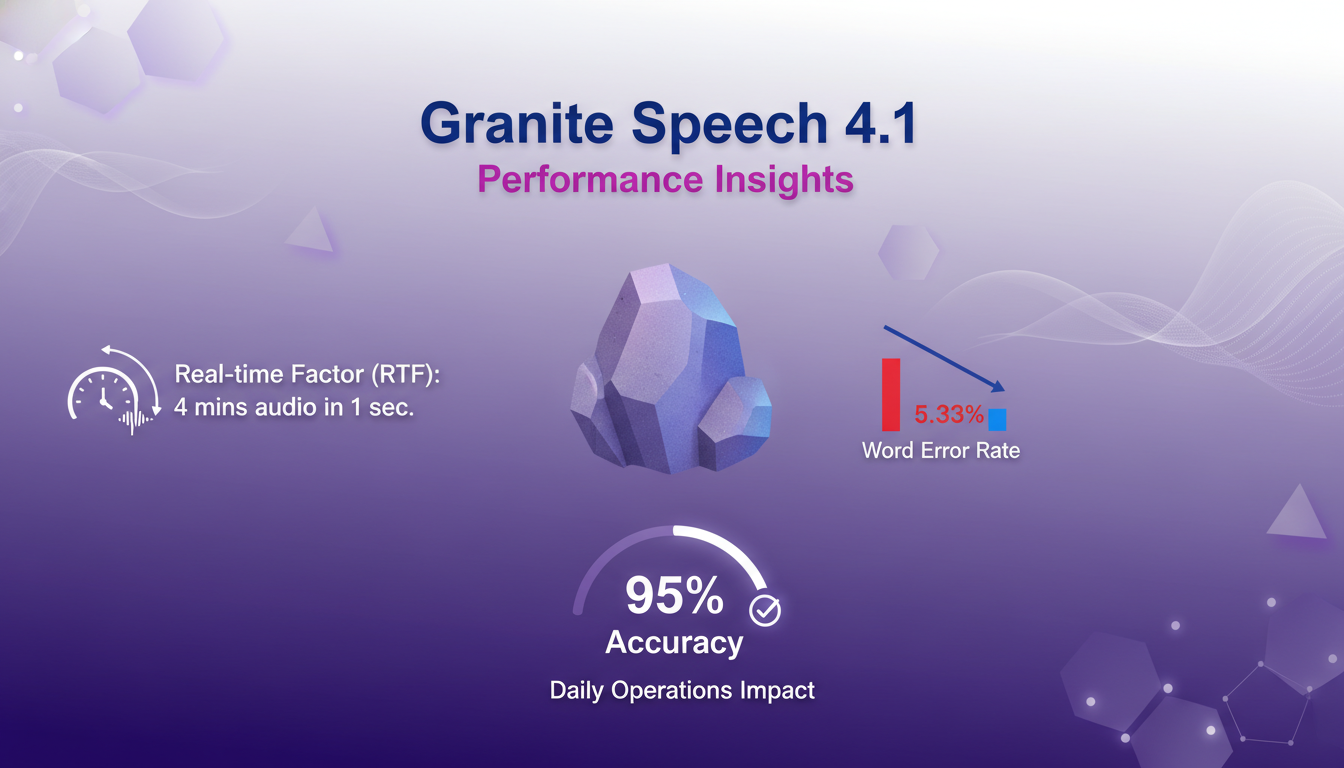
Now, let's talk about the Granite Speech 4.1 model, which tops the open ASR leaderboard with a word error rate of 5.33. This means 95% accuracy. Impressive, but what does it mean in real life? This precision is crucial for daily operations, especially when the model can process 4 minutes of audio in just one second. That's what we call the real-time factor (RTF). Imagine transcribing an hour of audio in just 16 seconds!
In terms of multilingual support, we're talking about seven languages, which is a major asset for global projects. But be aware, it's still limited compared to some competitors. The model excels in environments where speed and precision are essential.
- Real-time factor: 4 minutes of audio in 1 second.
- Word error rate: 5.33.
- Accuracy: 95%.
- Supports seven languages.
Exploring the Plus Model Features
Moving on to the Plus Model. This model adds another layer with keyword biasing, which personalizes recognition. You can steer the model to better recognize certain terms or acronyms. Perfect for niche sectors.
Diarization is another key feature, allowing for accurate speaker identification. For podcasts or meetings, this is a real plus. But be mindful, these features demand more resources, so it's a balance between feature richness and processing demands.
- Keyword biasing for personalization.
- Diarization for speaker identification.
- Ideal for podcast transcriptions.
- Balance between features and resources.
Non-Auto Regressive Model Advantages
Non-auto regressive models boost throughput. With NLE (Non-Auto Regressive LLM-based Editing), I could edit transcripts in a flash. It's fast, but watch out for the trade-offs in complexity. Often, the faster it is, the more complex it is to manage.
These models shine in scenarios where speed is crucial but where complexity can be managed, like in high-load environments.
- Boost throughput with non-auto regressive models.
- NLE for quick transcript editing.
- Trade-offs between speed and complexity.
- Ideal for high-load environments.
Navigating Trade-offs and Limitations
Finally, a word on limitations. In high-load environments, large ASR models like these can be costly. I learned the hard way that sometimes it's better to opt for simpler models for efficiency. Operational costs can quickly become a limiting factor if you're not careful.
By learning from my mistakes, I now orchestrate my model choices based on context and actual needs. It's all about balancing performance and cost.
- Understand limitations in high-load environments.
- Large ASR models can be costly.
- Sometimes opt for simpler models for efficiency.
- Lessons learned from my own mistakes.
For more insights on AI technology evolution, I recommend reading our article on GPT 5.5 Instant.
IBM's Granite ASR models are real powerhouses — fast and accurate, they tick all the boxes. But, navigating their setup and understanding their limits is key to getting the most out of them. Here's what I took away:
- Each ASR model is a hefty 2 billion, but the precision is worth it.
- The Granite Speech 4.1 model boasts a word error rate of 5.33, which is pretty solid!
- With a 95% accuracy rate, this model doesn't mess around.
That said, use them wisely for maximum impact. I'm convinced these models can transform how we handle speech recognition. Ready to dive into IBM's ASR models? Go on, try it out, and share your experiences. For a deeper dive, I recommend watching the full video here: YouTube. Trust me, it's worth it!
Frequently Asked Questions

Thibault Le Balier
Co-fondateur & CTO
Coming from the tech startup ecosystem, Thibault has developed expertise in AI solution architecture that he now puts at the service of large companies (Atos, BNP Paribas, beta.gouv). He works on two axes: mastering AI deployments (local LLMs, MCP security) and optimizing inference costs (offloading, compression, token management).
Related Articles
Discover more articles on similar topics
GPT 5.5 Instant: Revolution and Comparison
I've been diving deep into OpenAI's latest release, the GPT 5.5 Instant model. It's not just another upgrade; it's a genuine game changer in the AI world. Let me walk you through what I've discovered. With its multimodal capabilities and performance enhancements, the promises are big. But how does it really stack up against its predecessors? I'll show you how it performs in benchmark tests, how its API might revolutionize our future use cases, and why it might just outdo the Claude Haiku 4.5 model. Get ready, because this journey is intriguing.
GPT-5.5 Instant: What's New and Improved
I dove into the new GPT-5.5 Instant, and let me tell you, it's a game changer. But like any tool, it has its quirks. Transitioning from GPT-5.3 to 5.5 isn't as straightforward as it seems. I'll break down how I navigated this technological leap. With this update, OpenAI is pushing us further into AI capabilities. Whether you're a free or paid user, these changes have a direct impact on our everyday applications. Let's dissect the new features of the 5.5 model, the performance enhancements, and I'll share my tips for getting the most out of this advancement.
Stop Losing $360K: AI for Call Reviews
I was bleeding $360,000 annually without even realizing it. The culprit? Skipping call reviews. In the fast-paced sales world, these small oversights can cost you big. I turned things around using AI to analyze my calls and boost my close rates. We're talking practical solutions here, not theory. First, I identified gaps in my current processes, then integrated AI to fill them. The result? A direct increase in efficiency and revenue protection. Beware not to underestimate the potential impact of these tools. Sometimes, a simple tweak can be a game changer.
Integrate Codex and Google Calendar for Efficient Meetings
Ever been caught scrambling before a sales meeting, trying to gather customer details and polish your presentation at the last minute? Yeah, I've been there, and it's not a good look. But now, I streamline my prep with Codex, integrating it seamlessly with Google Calendar and Salesforce to get all the info I need in seconds. In this guide, I'll show you my workflow and the tools I rely on daily. Heads up: I'll share the mistakes that tripped me up, so you don't have to go through the same hassle.
Evolving Role of Software Engineers: Key Insights
I've been in the trenches of software engineering long enough to see our roles evolve. We started as code writers, became system architects, and now, we're orchestrators of complex ecosystems. The rise of advanced language models has reshaped our daily workflows. When I configure an architecture, I'm not just coding anymore; I'm designing entire systems. These models amplify our expertise—they don't replace it. But remember, a good engineer remains the author of their applications, even with a powerful tool at hand. Curious about how these shifts redefine our profession? Let's dive into this fascinating world.