Codex and Chrome: Mastering Browser Automation
I remember the first time I automated a browser task using Codex and Chrome—it was like turbocharging my workflow. If you're tired of repetitive browser tasks, you're in the right place. Let's dive into how Codex can transform your browser automation game. With Codex, even intermediate users can streamline workflows. We're talking real-world applications, not just theory. In this video, I'll guide you through integrating Codex with Chrome, handling complex web pages, and maximizing efficiency while ensuring security. Get ready to see your productivity soar.

I remember the first time I automated a browser task using Codex and Chrome—it was like turbocharging my workflow. Picture this: instead of spending hours opening and closing tabs to compare three washing machines on Amazon, I let Codex handle it all in just 2 minutes. If you're fed up with repetitive browser tasks, welcome to the future of browser automation. In this video, I'll walk you through integrating Codex with Chrome to automate tasks and skyrocket your productivity. We'll dive into Codex's capabilities, technical requirements, and practical use cases, all while keeping security and authentication in check. Don't worry, even complex web pages won't stand a chance against us. So, ready to boost your efficiency? Let's get started!
Setting Up Codex with Chrome: Your First Steps
Getting Codex up and running with the Chrome plug-in is like giving your browser a superpower. First, I download the plug-in and integrate it into my browser. Make sure your Codex is updated to version 5.5, or you'll find yourself struggling. This version is crucial for optimal performance, especially when juggling multiple tasks.
Next, I configure the initial settings and permissions. Don’t bypass this step: poor configuration can really put a wrench in the works. For instance, make sure the browser and Chrome skills are enabled. Watch out: don't get burned like I did, leaving default permissions can lead to surprises.
Automating Everyday Tasks: From Tweets to Spreadsheets
With Codex, I can automate tweet composition, no more manual typing sessions. I even automated extracting product info from Amazon. I opened 3 tabs for washing machines and automated data pulling like a pro. It was a real time-saver.
Then, I populate spreadsheets directly from browser data. It's truly a game changer for me. But watch out, handling dynamic web pages can be tricky. Codex helps significantly, but there are limits.
- Automate your tweets to save time.
- Use Codex for product info extraction.
- Automatically populate your spreadsheets.
- Beware of dynamic web pages and Codex limitations.
Efficiency and Productivity Gains: Real Impact
Saving hours on repetitive tasks is money saved. With Codex, I orchestrate tasks efficiently, reducing error rates. Less manual work, more strategic thinking, it’s a game changer. But bear in mind, automation requires initial setup time.
I remember the first time I had to set everything up, it was a bit of a nightmare. But once in place, the gains were spectacular.
Security and Authentication: Keeping it Safe
Codex offers robust authentication processes for secure automation. I set up OAuth and other protocols to protect my data. Don’t think automation means compromising on security. You just need to know how to handle it.
Future Potential and Applications: What's Next?
I’m constantly exploring potential applications beyond my current use cases. Codex’s future updates could unlock new automation possibilities. Stay ahead by piloting new features as they roll out.
But watch out, future features might require rethinking your current workflows. Always weigh the pros and cons.
So, integrating Codex with Chrome isn't just about automating tasks—it's about transforming how we work. I've tested it, and the efficiency gains are real, whether we're dealing with tweets or spreadsheets. But let's keep an eye on security, which should be a priority as Codex's capabilities evolve rapidly. Here are my key takeaways:
- Codex can open three Amazon product tabs in a flash, saving valuable time.
- In just two minutes, I automated a simple but repetitive task.
- The power of the 5.5 GPT model is impressive, but we need to watch out for security limits.
Looking ahead, I see Codex as a true game changer for daily tasks, but let's stay vigilant about security and ethical considerations. Ready to supercharge your browser tasks? Start setting up Codex today and experience the difference. And for a deeper dive, I recommend checking out the full video: Codex + Chrome = FULL Browser Automation 🔥.
Frequently Asked Questions

Thibault Le Balier
Co-fondateur & CTO
Coming from the tech startup ecosystem, Thibault has developed expertise in AI solution architecture that he now puts at the service of large companies (Atos, BNP Paribas, beta.gouv). He works on two axes: mastering AI deployments (local LLMs, MCP security) and optimizing inference costs (offloading, compression, token management).
Related Articles
Discover more articles on similar topics
Cortex Chrome: Boosting Automation and Productivity
I remember the first time I plugged Cortex into my Chrome browser. It was like handing the keys of a sports car to a racing driver. Suddenly, my workflow was turbocharged. With Cortex’s Chrome extension, you can orchestrate tasks directly in your browser. This isn't just another plugin—it's a real game changer for automating tasks and boosting productivity. Imagine handling expense reports while researching the user sentiment of the latest launches, all across parallel tabs. Let me take you behind the scenes of this new integration capability that changes the game for anyone looking to enhance efficiency directly from Chrome.
Integrate GPT Realtime-2 into Your Voice Agents
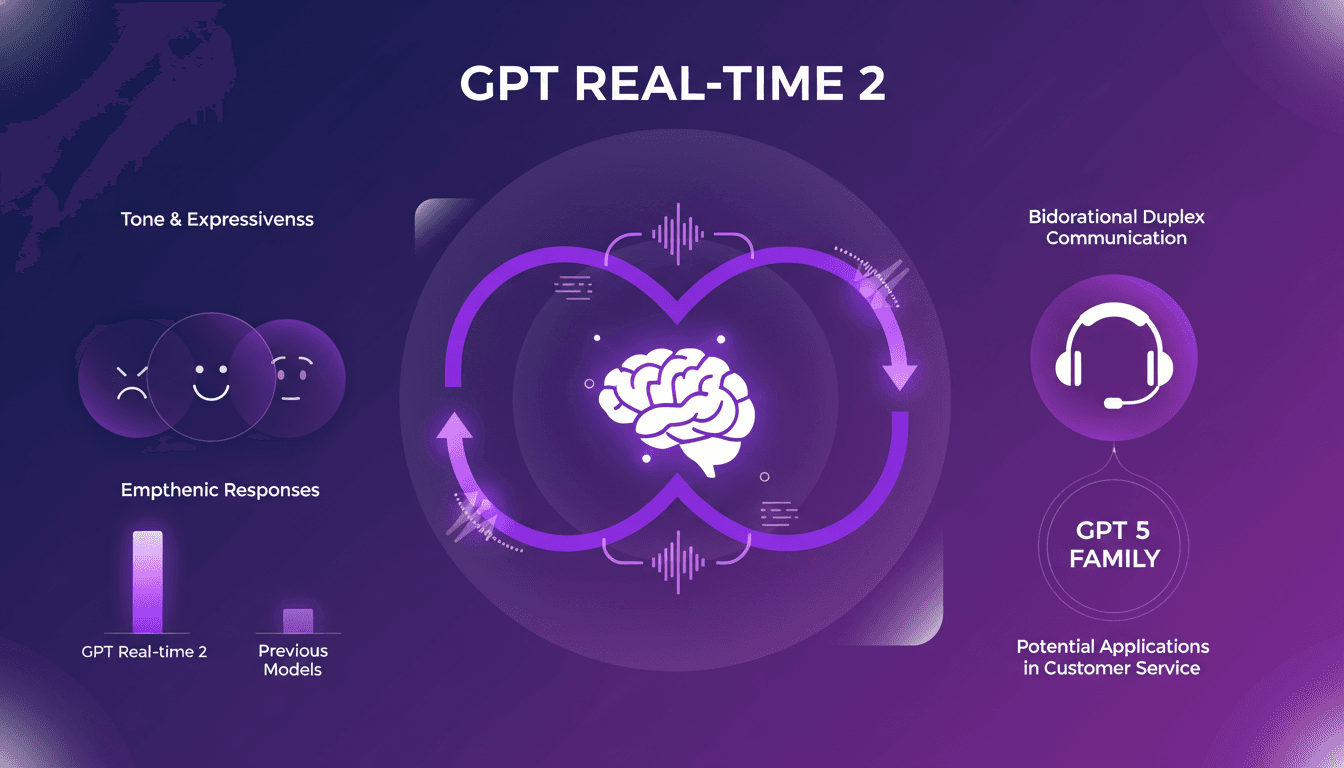
I've been hands-on with GPT Realtime-2, and let me tell you, it's a game changer for voice agents. When I first integrated it, the fluidity and responsiveness blew me away. As someone who's in the trenches with AI models, I know the pain points of latency and lack of expressiveness. GPT Realtime-2 directly addresses these, and it's not just hype. The bidirectional duplex communication and improved tone expressiveness are significant. Responses are more empathetic, conversations more lifelike. Compared to previous models, it's a leap forward. In customer service, the potential applications are vast. Integrated into the GPT 5 family, this model redefines the limits of what voice agents can achieve.
GPT-5.5 Instant: What's New and Improved
I dove into the new GPT-5.5 Instant, and let me tell you, it's a game changer. But like any tool, it has its quirks. Transitioning from GPT-5.3 to 5.5 isn't as straightforward as it seems. I'll break down how I navigated this technological leap. With this update, OpenAI is pushing us further into AI capabilities. Whether you're a free or paid user, these changes have a direct impact on our everyday applications. Let's dissect the new features of the 5.5 model, the performance enhancements, and I'll share my tips for getting the most out of this advancement.
Alternatives to Hand-Coding: Revolution or Myth?
I still remember the first time I heard about alternatives to hand-coding. I was skeptical, but intrigued. Could this really change the way we build software? As software engineers, we're often buried under lines of code. But what if we could streamline this process? Let's dive into these emerging alternatives and see what they mean for our workflows. This revolution—or perhaps myth—could very well shake up the software development landscape, challenge our current skills, and even influence organizational policies. I'll share what I've discovered, the pitfalls to watch out for (believe me, I've been burned more than once), and how it could impact our personal productivity.
Daily Routine: Maximize Productivity
I wake up every day with the same routine, and it's not just a habit—it's my secret weapon. No phone, no distractions, just pure focus. Let me walk you through how I turned this into a $77K/month gig. In our fast-paced tech world, distractions are endless. Yet, maintaining a consistent routine can be your biggest ally in achieving productivity and financial success. I'll show you how I structure my days to maximize efficiency, dodge FOMO, and ensure every day kicks off with unwavering focus.